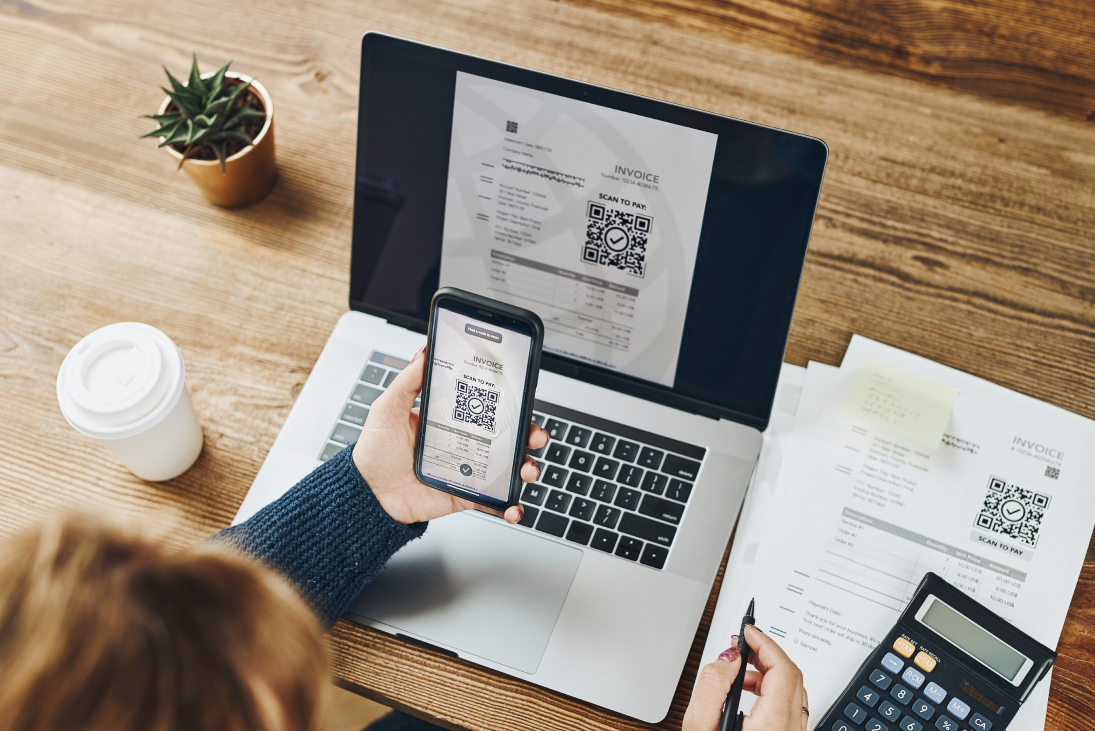
Hello Blues fans! As tax season has wrapped up, we wanted to bring everyone up to speed on how the government handles tax payments. Following recent federal mandates, the IRS has officially phased out the acceptance of paper checks. This shift toward an all-electronic system is designed to modernize the payment infrastructure, reduce the risk of check fraud, and accelerate processing speeds.
As proud sponsors of the Annapolis Blues, we at Kram, McCarthy, Ayers, & Frost (KMAF) want to ensure that fans and our clients are prepared for these changes and can manage their tax obligations without interruption. Below is a guide on how to navigate the required online payment systems for both federal and Maryland state taxes.
Making Federal IRS Tax Payments
Here is a step-by-step guide on how to set up an IRS account to make your estimated quarterly payments and/or pay a balance due with your tax return.
Set up your individual IRS account:
- https://www.irs.gov/payments/your-online-account
- Select “Sign Into your online account”
- Select “Create an account”
- You will need to set up an ID.me account to verify your identity. You will need:
- A valid social security number (SSN) or individual taxpayer identification number (ITIN) as well as a government-issued ID
- A smartphone or computer with a camera
- Set up a username and password
Once you have set up your IRS account, you can pay full or partial payments of your tax balance due, pay quarterly estimated payments for individual or business, and set up payment plans for back taxes owed.
Pay your Individual Federal Tax balance online:
- https://www.irs.gov/payments
- Select “Pay in Online Account”
- Select “Sign in or create account”
- Sign in with ID.me
- Account Home page – Select “Make a payment”
- Choose how you would like to pay – Bank account or Credit card
- Choose the type of payment you are making. (Pay balance in Full)
- Click “Next”
- Make sure to select the correct tax year for your payment
- Enter your payment amount
- Enter your payment date
- Enter an email address to receive confirmation
Pay your Individual Federal Estimated Taxes online:
- https://www.irs.gov/payments
- Select “Go to your account”
- Select “Sign in or create account”
- Account Home page – Select “Make a payment”
- Choose how you would like to pay – bank account or credit card
- Select “Estimated Tax”
- Select the tax year for this estimated payment
- Enter your estimated payment amount
- Enter an email address to receive confirmation.
- Select “Submit”
Making Maryland State Tax Payments
Here is a step-by-step guide on how to set up a Maryland account to make your estimated quarterly payments and/ or balance due with your tax return.
Set up your Maryland Individual Taxpayer Account with iFile:
- https://interactive.marylandtaxes.gov/Individuals/IndivLogin
- Select “Register”
- If you file a joint tax return, please start with the primary taxpayer's information, and you can add the joint/spouse information further down the list.
- Enter the primary taxpayer’s SSN (no dashes), name, address, phone number, and date of birth – exactly as it is on your Maryland tax return
- To verify your identity, you must enter the federal adjusted gross income from a previous year’s tax return – the website currently asks for your 2024 tax return information. See the appropriate return – MD Form 520 – line 1 is your Federal Adjusted Gross Income. Enter this amount.
- If you do not have access to your MD tax return, you can select “NO” – continue with your registration, and you will receive an email from IFILEREGDOCS@marylandtaxes.gov with instructions on how to proceed.
- Choose your password and security question
- Select “Submit”
Pay your individual Maryland Tax Balance online:
- https://interactive.marylandtaxes.gov/Individuals/Payment/
- Select the “Make a bill payment” hyperlink
- Login to your Individual Taxpayer account
- Enter SSN
- Enter last name
- Enter password
- If you received a notice from the State of Maryland, enter the respective notice number. Otherwise, select “NEXT”
- Choose “Single Return” or “Joint Return” depending on your filing status. If you selected “Joint Return”, enter your spouse’s first name, last name, and SSN
- Choose the type of account you are paying from (checking or savings)
- Enter routing number
- Enter account number
- Re-enter account number
- Select “NEXT”
- Choose the applicable tax year
- Enter the amount being paid
- Choose a payment date if different than the present date
- Select “NEXT”
- Verify that the information entered is correct
- Select “SUBMIT”
Pay your individual Maryland Estimated Taxes online:
- https://interactive.marylandtaxes.gov/Individuals/Payment/
- Select the “Make a personal estimated payment – Form PV” hyperlink
- Select the “Make estimated payment(s) for tax year 2025” hyperlink
- Choose “Single Return” or “Joint Return” depending on how your filing status. If you selected “Joint Return”, enter your spouse’s first name, last name, and SSN
- Select “NEXT”
- Enter street address, city, zip code, and email address
- Select “NEXT”
- Enter the amount being paid for the applicable quarter and the date the payment is to be made
- Select “NEXT”
- Choose the type of account you are paying from
- Enter routing number
- Enter account number
- Re-enter account number
- Select “NEXT”
- Verify that the information entered is correct
- Select “SUBMIT”
Why Paper Checks Are No Longer Accepted
Effective September 30, 2025, the U.S. Treasury will cease issuing paper checks for all federal disbursements—including IRS tax refunds, Social Security payments, and IRS income tax payments. There are very few exceptions.
Practical Implications:
- After September 30, 2025, taxpayers expecting a refund will be required to receive the funds via direct deposit, prepaid cards, or digital wallets.
- Payments to the IRS must be made electronically.
- Taxpayers who cannot receive direct deposit (e.g., those without a U.S. bank account) may need to seek an exception or use third-party settlement services, which can create additional administrative burdens and costs.
What IRS payment options are available after September 30, 2025?
- Direct Debit via Electronic Funds Withdrawal (EFW) when you e-File your tax return: You can schedule balance due payments and quarterly estimates when you file your income tax returns by supplying your bank information on your tax return and authorizing payments when you e-File. There is no fee for this option.
- Set up an individual or business online account with the IRS: With this account, you can access tax records, view payment history, create payment plans, and set up banking information for electronically receiving refunds or making payments.
- IRS Direct Pay: Pay taxes from your bank account directly to the IRS. Free and secure, no sign-in is required, and you can cancel within 2 days of the scheduled payment. You will need prior-year tax return information available before using it.
- Electronic Federal Tax Payment System (EFTPS): This free online or phone service is best for businesses and individuals making regular or large payments. To set up an Electronic Federal Tax Payment System (EFTPS) account with the IRS, you must enroll online at the official EFTPS website - www.eftps.gov/eftps/. The process involves providing your identifying and bank information and waiting to receive your Personal Identification Number (PIN) in the mail. For website users, multi-factor authentication (MFA) is required with either Login.gov or ID.me
- Debit/Credit Card or Digital Wallet: Payments can be made online, by phone, or through the IRS2Go mobile app via IRS-approved third-party processors. Fees will apply.
- Cash: You can pay in cash at certain retail partners, but you must register online first, and there are daily limits. This method uses a service called PayNearMe. There is a daily payment limit of $1,000, and a fee applies.
- Wire Transfer: If you do not have a U.S. bank account, you may be able to pay by same-day wire transfer through the Federal Tax Collection Service (FTCS), but your financial institution may charge a fee and may have earlier cutoff times.
What are the first steps I should take?
- You will need to set up an IRS-approved electronic method for depositing any refunds due to you and any payments you need to make to the IRS for taxes.
- You should consider setting up an online account with the IRS for your individual or business account. Not only can you make payments, but you can also view payment history, check your current balance, and create a payment plan for the amount you owe or expect to owe. You will be asked to set up an ID.me account during the registration process.
- An ID.me account is a digital identity wallet that allows you to securely prove your identity and group affiliation online without needing to create a new login for every website. Benefits of an ID.me account include secure access, streamlined logins, and access to government services. You must be at least 18 years of age, have a valid Social Security Number or Individual Taxpayer Identification Number, and a current, government-issued photo ID.
Setting Up an Online Account with the IRS
- Go to https://www.irs.gov/payments/online-account-for-individuals.
- Begin registration and set up an ID.me account.
- Once your identity is verified, you will be redirected back to the IRS portal, where your verified identity is linked to your IRS account
- To finish setting up, you will need:
- A copy of the last tax return you filed to verify information such as adjusted gross income, filing status, and your mailing address.
- Your bank account and routing numbers.
Setting Up an ID.me Account with the IRS
To set up, you go online and verify your identity through a process that involves submitting documents and taking a selfie. Once the account is established, it can be used to verify and seamlessly sign into many different government agencies.
- Create your account: You start by creating your ID.me login and securely protecting it. To set up an ID.me account for access to IRS online services, you must complete a secure identity verification process. Go to https://api.id.me/en/registration/new.
- You will need:
- A valid email address
- Cell or telephone available
- Government-issued photo ID
- Computer or smartphone with a camera for uploading images and taking a video selfie
- A video selfie or opt for a video call with a live ID.me agent
- Verify your identity: You then verify your identity by uploading documents like a driver's license or passport and taking a video selfie.
- Gain access: With your identity verified, your ID.me account acts as a digital credential to securely sign in to all participating websites.
Contact KMAF for Assistance
Navigating new digital requirements can be challenging, especially for complex filings or high-volume business accounts. If you have questions about which payment methods apply to your specific situation or need assistance setting up your online accounts, please reach out to our team.
If you have questions or need assistance with online payments, contact our team at (410) 643-4477 or schedule a confidential consultation.